# Velocity.js
Vue’s JavaScript Hooks and combine that with a helpful animation library called Velocity.js (opens new window) to build out some more powerful animations.
# JavaScript Hooks
are similar to Vue’s lifecycle hooks (opens new window) (beforeCreate, created, etc), but are specific to Vue’s transition and transition-group components. You can think of them as the stages of the lifetime of a Vue transition.
Below is a list of them
before-enterenterafter-enterbefore-leaveenter-cancelledleaveafter-leaveleave-cancelled
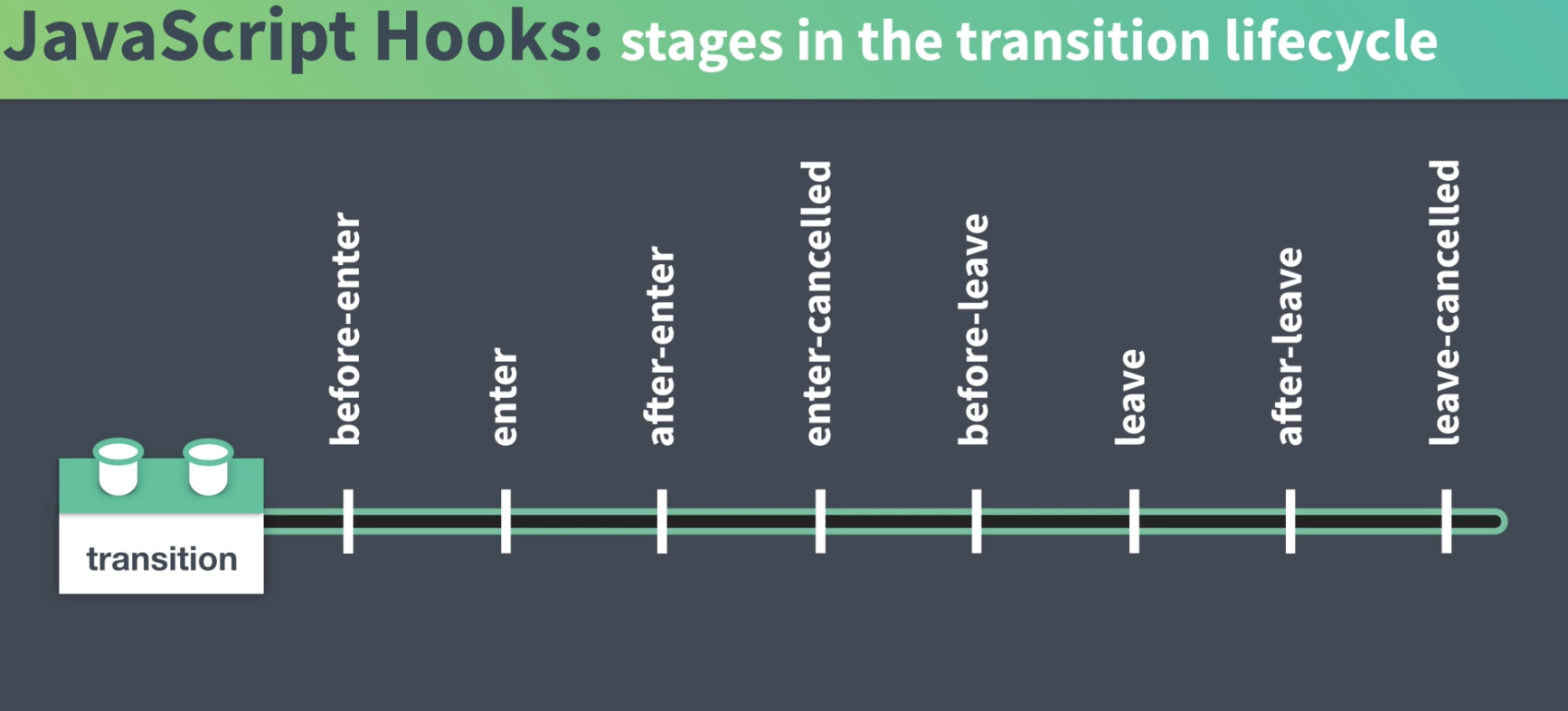
When they are called, we can have them trigger methods,
    <transition
      @before-enter="beforeEnter"
      @enter="enter"
      @after-enter="afterEnter"
      @enter-cancelled="enterCancelled"

      @before-leave="beforeLeave"
      @leave="leave"
      @after-leave="afterLeave"
      @leave-cancelled="leaveCancelled"
    >
      <!-- ... -->
    </transition>
common practice: name the methods the same as the js-hook
   <template>
    	<div>
    	  <button @click="isOpen = !isOpen">
    	    My Profile
    	  </button>

        <transition
          @before-enter="beforeEnter"
          @enter="enter"
          @leave="leave"
          :css="false"
        >
          <div v-if="isOpen" class="drawer">
            <img src="../assets/avatar.png" alt="avatar" />
            <div></div>
            <div></div>
            <div></div>
            <div></div>
          </div>
        </transition>
      </div>
    </template>
Note: We’re using :css="false" to tell Vue it doesn’t need to worry about handling the transition classes here since we’re relying on the JavaScript hooks instead.
beforeEnter(), we want that method to set the initial style of the drawer before it enters the interface.enter()method to set the styles we want the drawer to end up with when it enters.leave()method will set the styles we want the drawer to transition to when it leaves our interface.
methods: {
        beforeEnter(el) {
          // we'll place our starting style here
        },
        enter(el, done) {
    			// style to transition to on enter
        },
        leave(el, done) {
    	   // style to transition away to on leave
        }
each have the el parameter. This will give our methods access to the element that is being transitioned,
# Velocity
https://www.npmjs.com/package/velocity-animate
http://velocityjs.org/
npm i velocity-animate
import Velocity from 'velocity-animate'
...
 methods: {
    beforeEnter(el) {
      el.style.opacity = 0
      el.style.width = '0em'
    },
    enter(el, done) {
      Velocity(
        el,
        { opacity: 1, width: '12em' },
        { duration: 1000, easing: 'easeOutCubic', complete: done }
      )
    }
  }
# Starting Style
   beforeEnter(el) {
      el.style.opacity = 0
      el.style.width = '0em'
    },
# Enter Style
    enter(el, done) {
      Velocity(
        el, // element to animate
        { opacity: 1, width: '12em' }, // new style rules
        { duration: 1000, easing: 'easeOutCubic', complete: done } // define how transition happens and complete it
      )
    }
We’ve passed in a few arguments to the Velocity() method, first handing it the element to animate (el) and then giving it an object with the new style rules we want applied to that element. Finally, we’re passing in some rules to define our transition’s duration, its easing function, and then we’ve handed it done, which is a method that will be run when the velocity animation is complete. This lets Vue know this hook has completed, and it can move on to the next one in its lifecycle.
Velocity offers a lot of easing functions:
http://velocityjs.org/#easing
https://easings.net/en
(Back, Elastic and Bounce functions are not available to us via Velocity.)
# Leave Style
    leave(el, done) {
      Velocity(
        el,
        { opacity: 0, width: '0em' },
        { duration: 500, easing: 'easeInCubic', complete: done }
      )
    }
# The Power of Velocity
Velocity has more features
eg. spring physics which allows us to create springy/snappy/bouncy motion in our interfaces.
  enter(el, done) {
      Velocity(
        el,
        { opacity: 1, width: '12em' },
        { duration: 1000, easing: [60, 10], complete: done } // now with spring physics
      )
    }
the first (60) is the amount of tension and the second (10) is the amount of friction